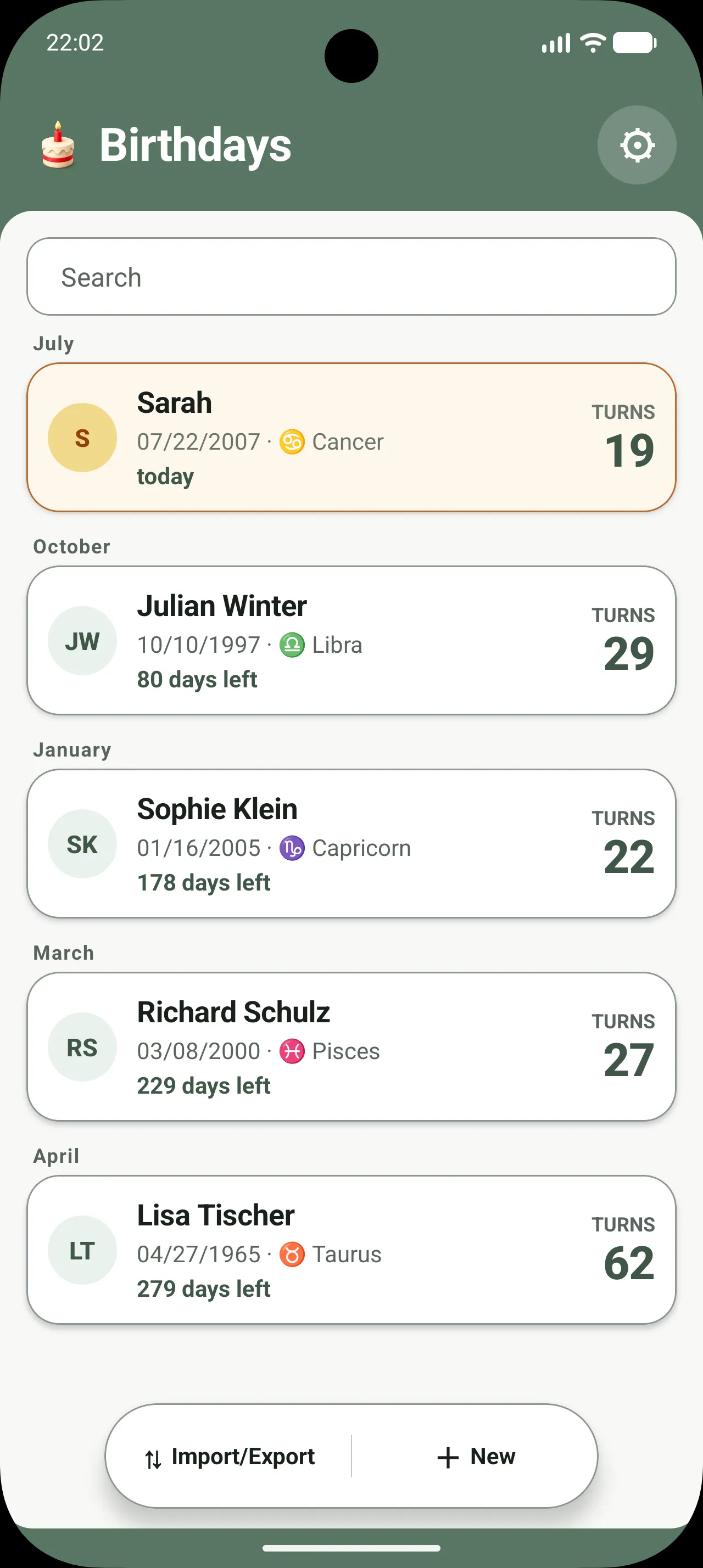
01 Overview
See who’s celebrating next.
Countdowns, upcoming birthdays, and optional ages are easy to scan. Search and sorting keep even longer lists clear.
Birthdays for Android
Organize important dates, plan reminders, and create an encrypted backup for your next device—without an account, ads, or required cloud sync.
The app in motion
Scroll through five real app views and see how birthdays are organized, imported, backed up, and remembered.
01 Overview
Countdowns, upcoming birthdays, and optional ages are easy to scan. Search and sorting keep even longer lists clear.
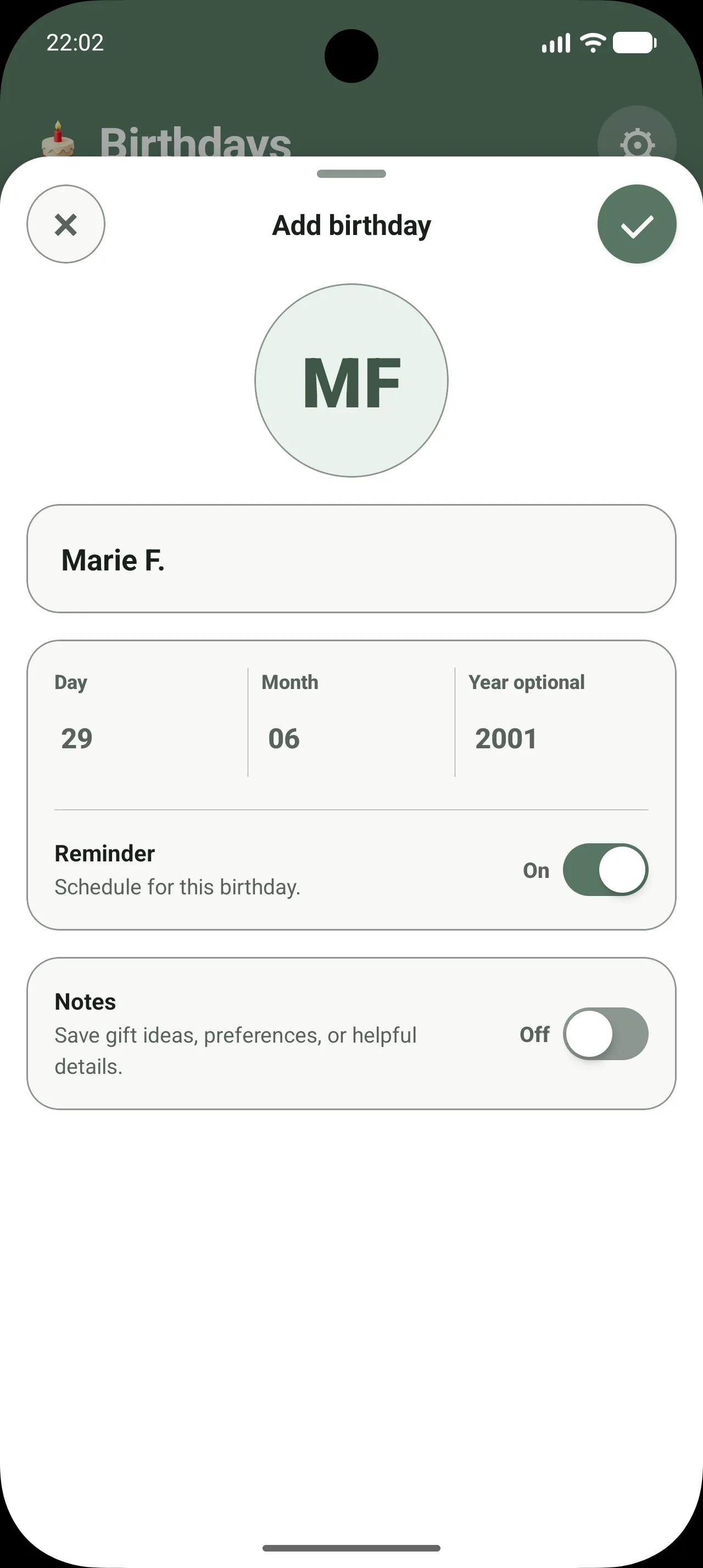
02 Add
A name and date are all you need. Add a birth year, personal note, or reminder only when it is useful to you.
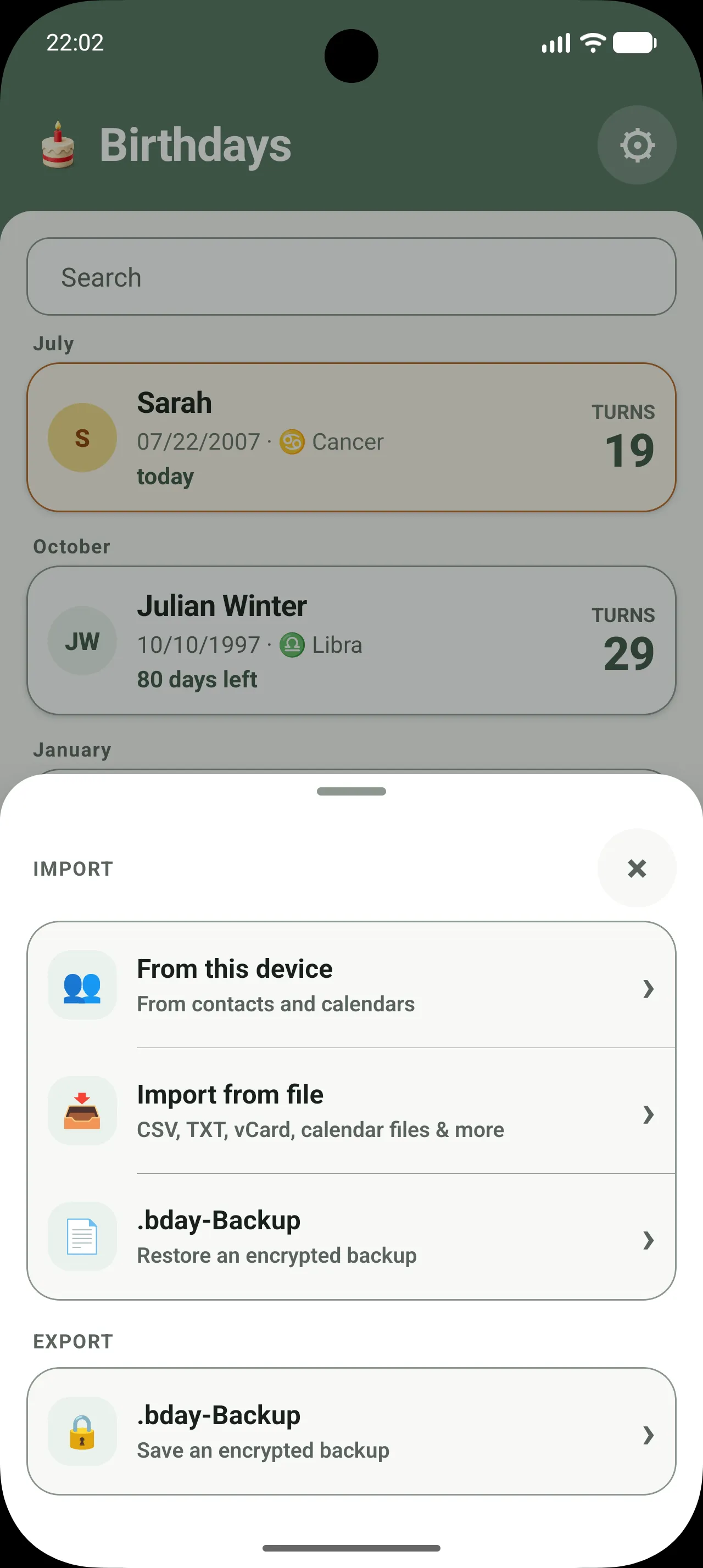
03 Import
Optionally read birthdays from contacts, calendars, or selected files. Review your selection before anything is saved in the app.
04 Back up
Create a password-protected, encrypted .bday file and restore it on your new device—deliberately manual, with no automatic cloud sync.
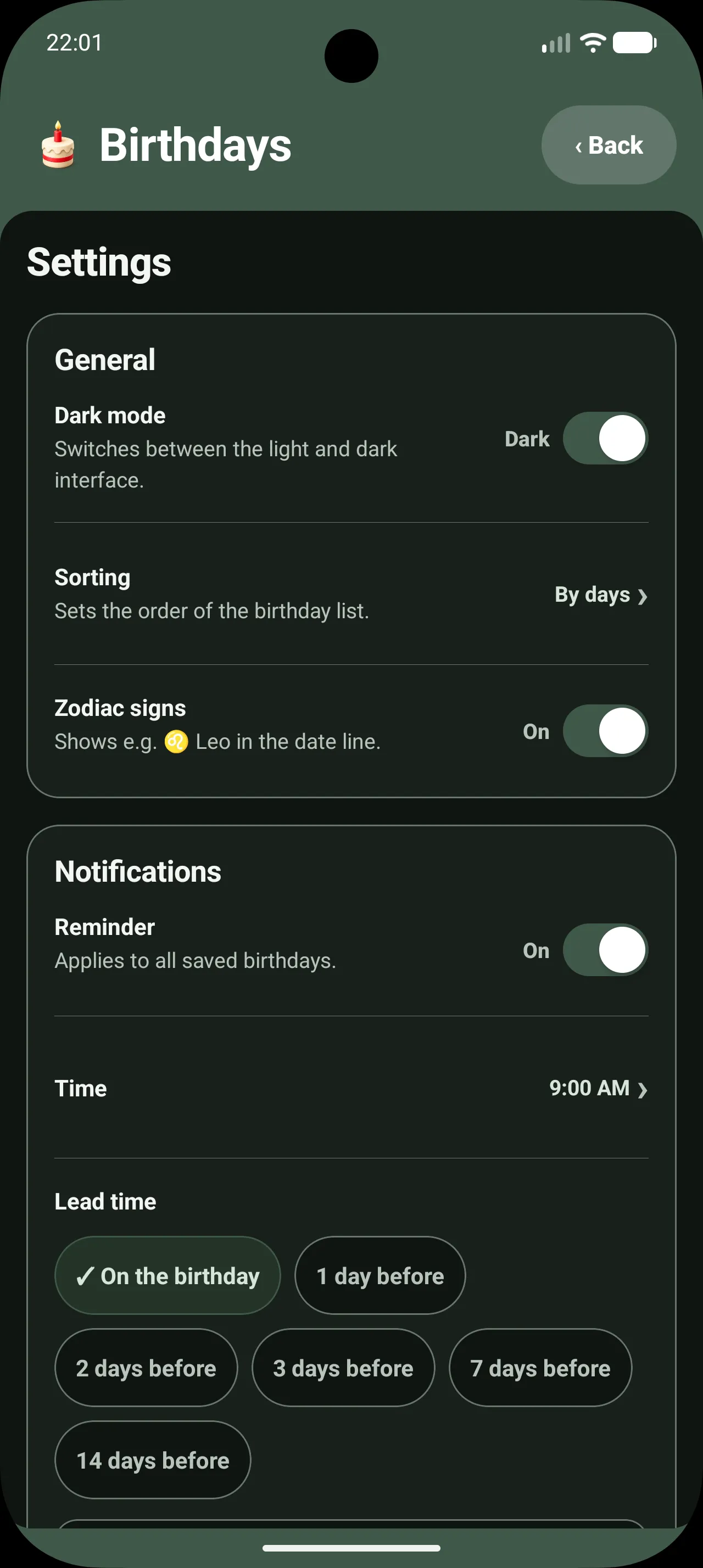
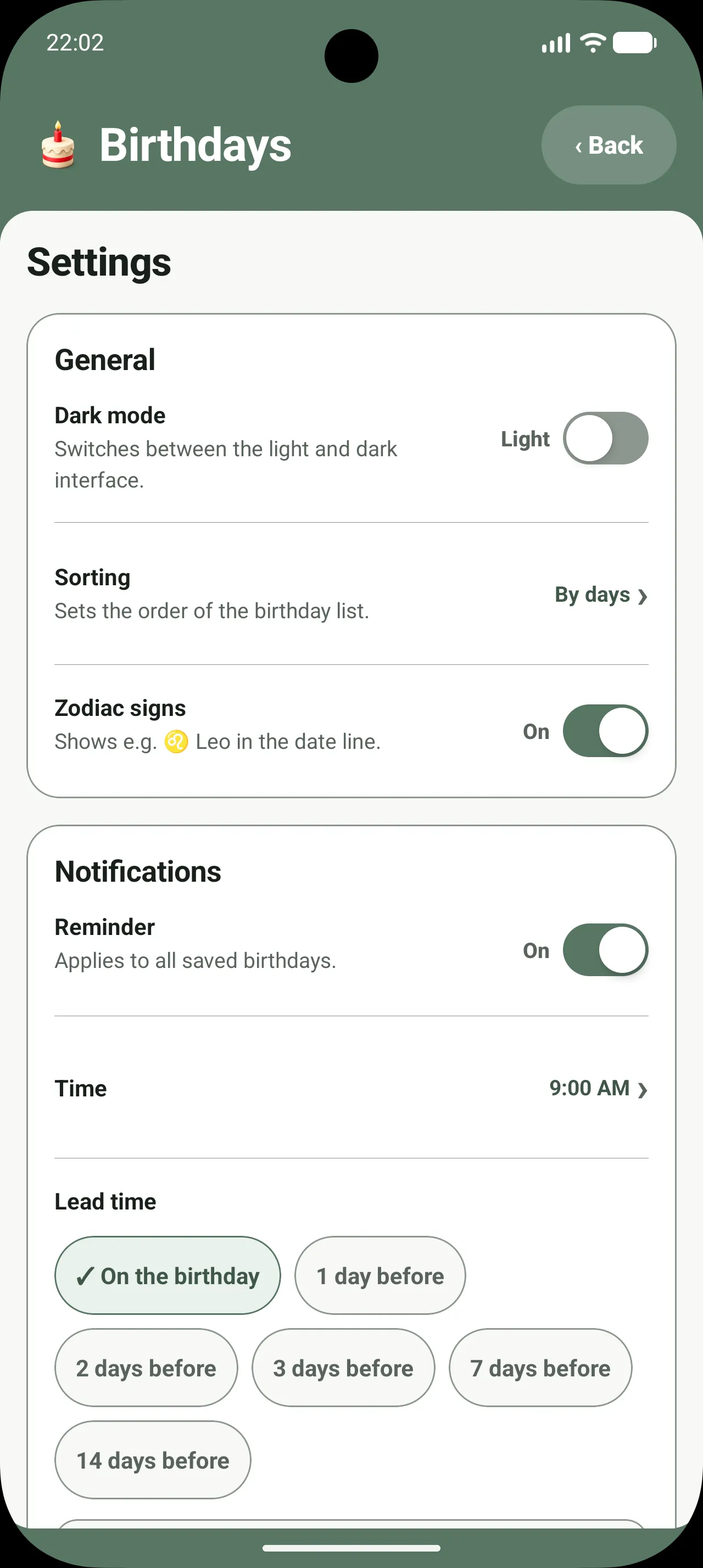
05 Adapt
Choose the time and lead time, switch between light and dark themes, adjust the time format, and use the app in five languages.
Private by design
Your birthday data should not become somebody else’s profile. The app stores it locally and gives you clear tools to import, export, and delete it.
Read the privacy policyStart without registering or sending personal data to an app server.
No advertising networks, analytics profiles, or in-app tracking.
Manually created .bday files are password-protected and encrypted.
Contacts, calendars, and files are read only when you start the relevant import.
Move devices without moving chaos
The app uses a transparent, manual transfer. You decide where the encrypted backup lives and when it is restored.
Create an encrypted .bday file in the app using your password.
Transfer the file to the new device using the secure route you choose.
Select the file in the app, enter your password, and review the data.
Thoughtful down to the details
Countdowns and clear grouping put the next birthdays in view.
Choose a time and lead time that fit your routine.
Optionally keep a birth year and notes such as gift ideas or preferences.
Bring in selected entries from contacts, calendars, and supported files.
Export and import an encrypted, manual .bday backup.
Light and dark themes, several sorting options, and five app languages.
Coming to Android
Clearly organized, thoughtfully reminded, and under your control.
Good to know
No. The app works without registration and without an app account.
Birthdays, notes, and settings are stored locally on your Android device.
Create a password-protected, encrypted .bday backup file and restore it on the new device.
No. There is deliberately no automatic cloud sync. You stay in control of the manual backup transfer.
No. The app reads the selected source only during an import you start and does not write to contacts or calendars.
No. A day and month are enough; the year and personal notes stay optional.
The app schedules reminders locally. Their timing and delivery also depend on Android permissions, battery settings, and device behavior.
The app is designed for Android and supports German, English, Spanish, French, and Portuguese. It has not yet been released publicly.